Loyalty Rule Management
This feature allows you to reward your regular customers with points for purchases and let them redeem those points.
How to Enable and Configure Loyalty Feature
This guide explains how to activate the loyalty program in the Merchant app and set rules for earning and redeeming points.
Step 1: Enable Loyalty Feature
To start the loyalty program for your store:
-
Open the POSItEasy Merchant App.
-
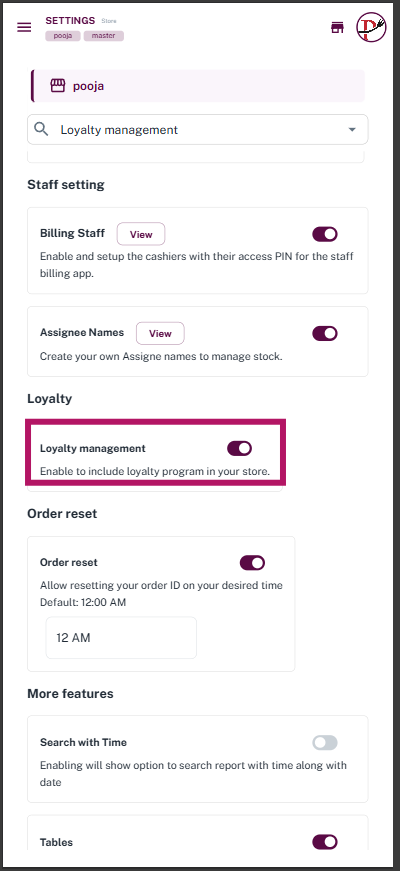
Go to Settings and select Store Configuration.
-
Scroll down to the Loyalty section.
-
Toggle the Loyalty Management switch to ON (Active).
Step 2: Create Loyalty Rule
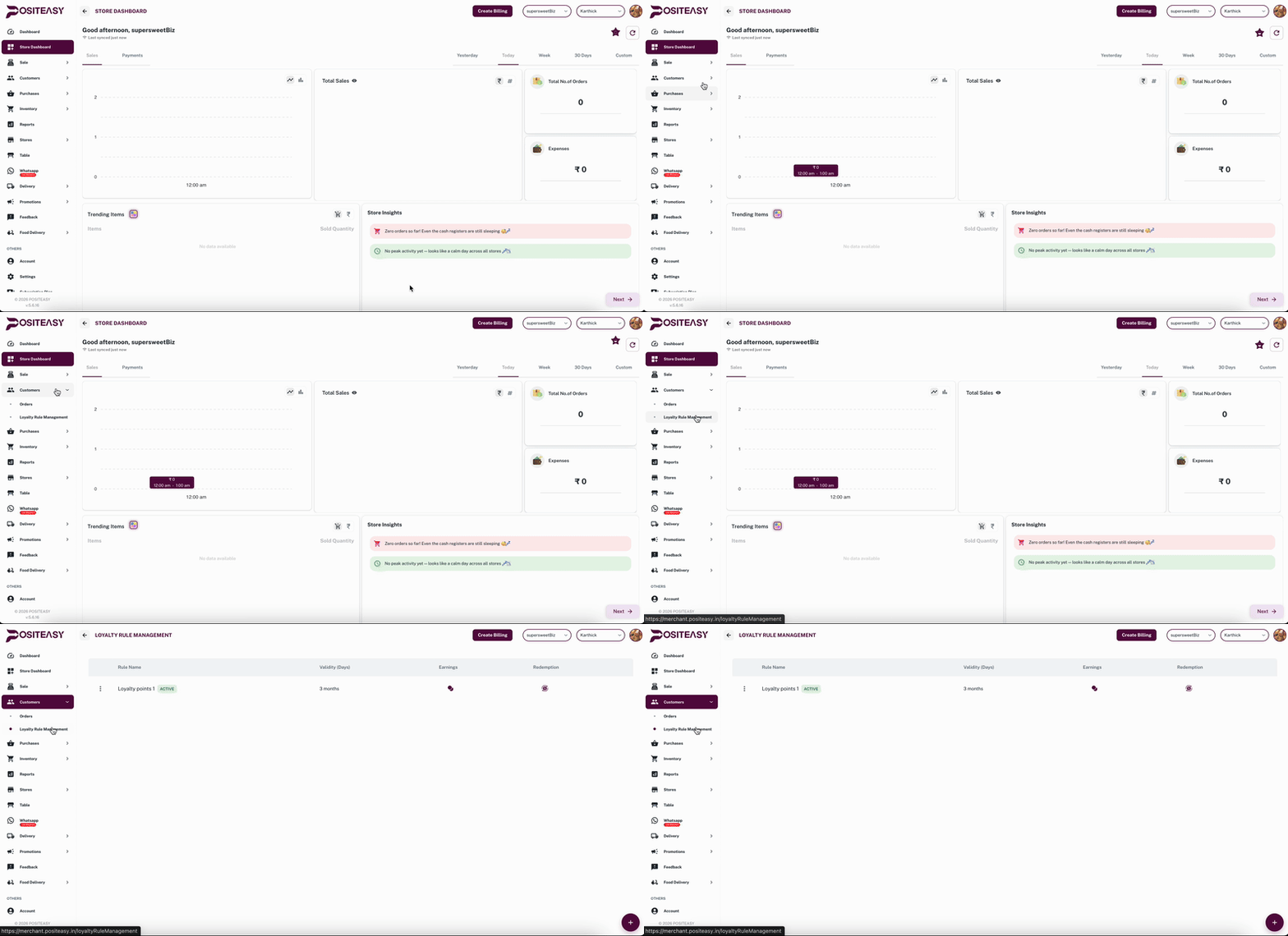
After enabling loyalty configuration, click on the Customers section in the sidebar.
-
From its dropdown menu, go to Loyalty Rule Management.
-
Click the Add (+) button to create a new rule.
-
Enter Rule Name (e.g., Rule 1) and its Validity (in months or years).
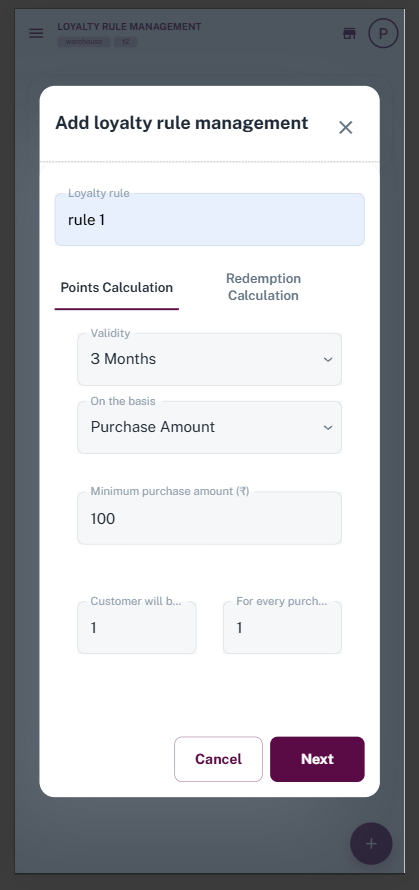
A. Configure Points Calculation (Earnings)
Decide how customers will earn points:
- Minimum Purchase Amount: Set the minimum bill amount (e.g., ₹100) after which customers start earning points.
- Points Calculation: Set how many points are earned per purchase amount (Example: 10 points for every ₹100 purchase).
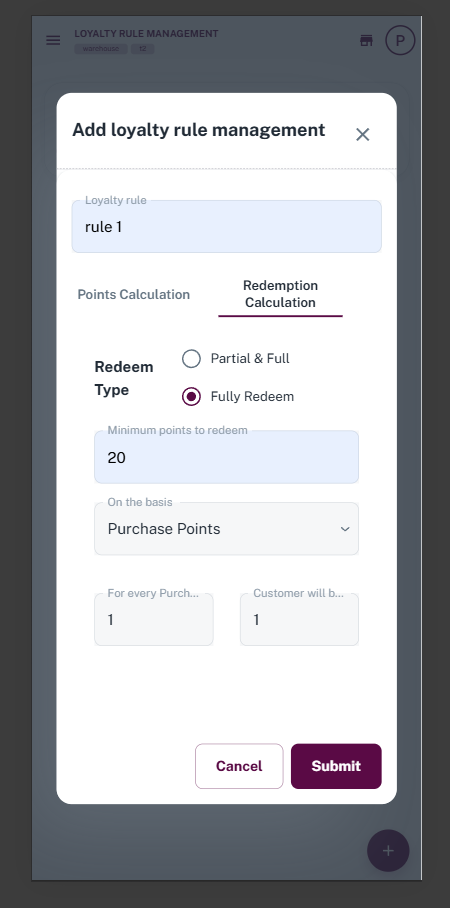
B. Configure Redemption Calculation
Decide how customers will redeem (spend) points:
-
Redeem Type: Select redemption type (e.g., "Fully Redeem" or "Partial & Full").
-
Minimum points to redeem: Minimum points required in customer's account to redeem (e.g., 20 points).
-
Price per Point: Set cash value of 1 point (Example: 1 point = ₹1).
Step 3: Save and Activate Rule
-
After filling all details, click Submit.
-
Go to the Loyalty Rules List.
-
Ensure your created rule is Active.
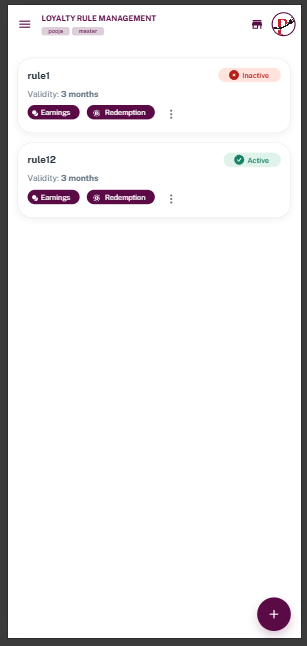
After setting up loyalty rules in the Merchant app, don't forget to Sync your Staff App to apply changes. You can view Redeem Loyalty in Staff App and create bills with loyalty.